

openwiki visualize serves a local interactive node graph beside a live Markdown reader in your browser. You can also export the same graph and reader as a static directory for hosting.
Open the visualizer
From a repository that already has anopenwiki/ directory:
./openwiki on 127.0.0.1:4321 and opens your browser to the graph. Edits to wiki files are picked up automatically while the server runs. The graph panel is resizable and collapsible beside the Markdown reader.
Options
To explore a personal wiki:
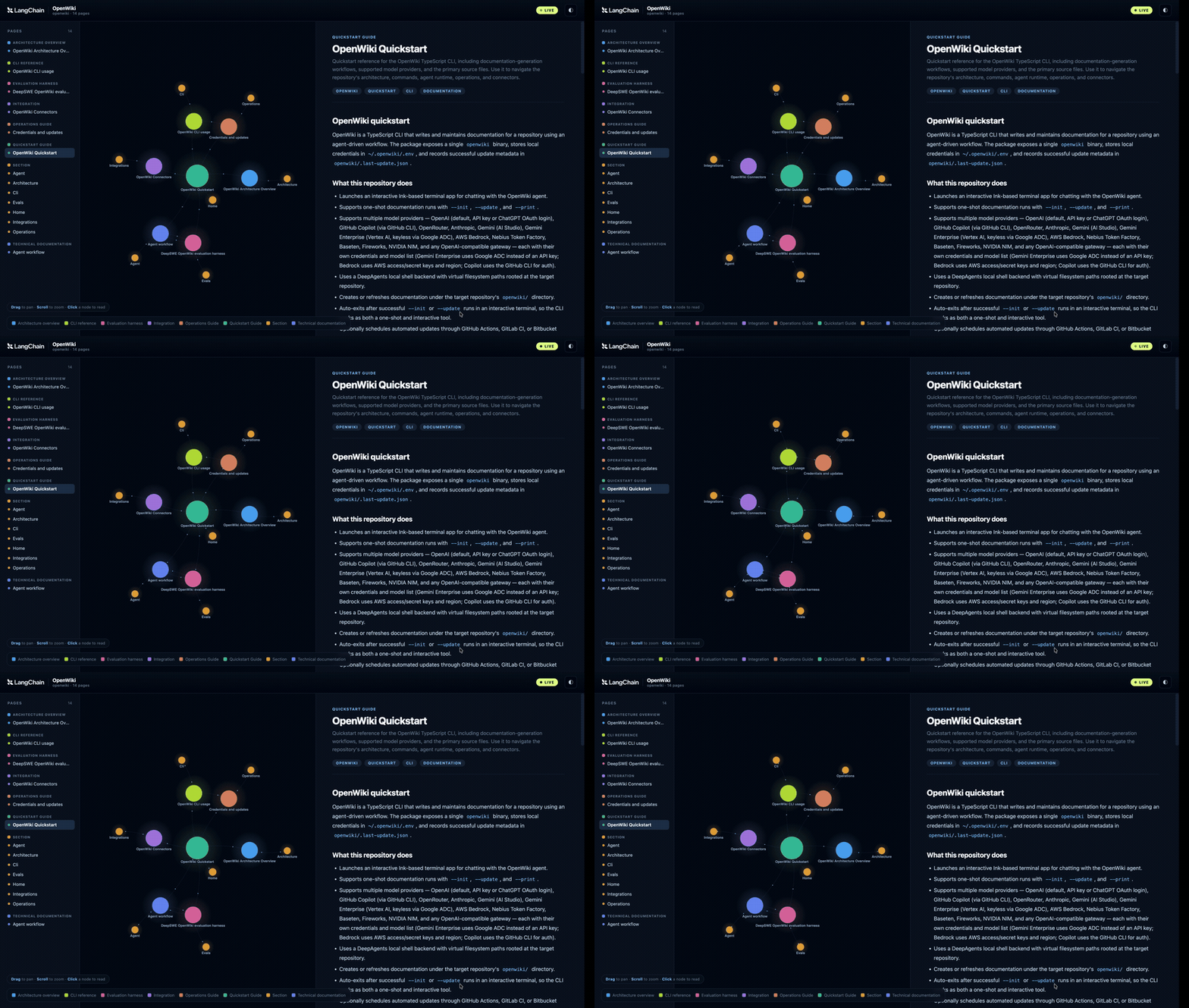
- An interactive node graph of wiki concepts and the Markdown links between them
- A side-by-side live Markdown reader for the selected page
INSTRUCTIONS.md and other scaffolding files.
Export a static site
To publish the visualizer beside generated documentation, export a static directory instead of starting the server:index.html, client.js, client-lib.js, styles.css, and graph.json. Its client reads the sibling graph file and does not use live reload, so the directory can be hosted by GitHub Pages, MkDocs, or any other static host.
The page loads its graph, Markdown, and diagram libraries from a public CDN, so an internet connection is required for both local and static viewers.
See also
Connect these docs to Claude, VSCode, and more via MCP for real-time answers.